THE PLAYROOM
Typing games
A quick challenge or a world to settle into. Pick your pace and make every key count.
16 games to play
Explore & play
Longer adventures, friendly worlds and a change of pace.
Typing Ludo
Type. Roll. Choose your piece. Play with friends or the computer.
Play now →Snakes & Ladders
Type a word. Roll the dice. Reach 100.
Play now →KeyQuest
Type to bring a little world back to life.
Play now →

Type Racer
Your fingers are the engine. Race the coastline.
Play now →
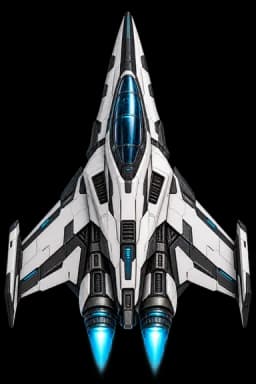
Space Typers
Type to fire. Recover six beacons. Get home.
Play now →Type Fishing
Catch calm, glowing fish by typing their names.
Play now →
Word Garden
Grow flowers with words. Make a garden of your own.
Play now →
Typing Restaurant
Type ingredients. Plate your dish. Delight six tables.
Play now →
Quick skill challenges
Short rounds focused on speed, accuracy and keyboard confidence.
Key Catcher
Letters fall. Catch them before they land.
Play now →60 secondsWord Runner
Type to keep running. Stop typing and you stop.
Play now →Until you fallKeyboard Defender
Ten lanes, one per finger. Guess which one they attack.
Play now →Survive the wavesMemory Keys
Watch the sequence. Now type it back.
Play now →Until you slipKey Kingdom
Type to leap. Longer words jump higher.
Play now →One stageGhost Race
Race the ghost of your own best run.
Play now →One lapSpell Breaker
Break the shield one word at a time.
Play now →Boss fightCode Breaker
Brackets, braces and semicolons, under pressure.
Play now →Crack the lock
Your progress · 0 stages cleared
0 / 140 arcade stages cleared. Progress stays in this browser.
Prefer lessons? Start here.Help choosing a game & common questions
Which typing game should you play?
Choose the skill you want to practise. Letter games help you find keys, word games add rhythm, and adventures give you a longer goal. All games here run free in your browser without a required account.
| Your goal | Game | What you do |
|---|---|---|
| Pilot a spacecraft | Space Typers | Complete enemy words to fire, cool your beam and recover six beacons. |
| Catch fish by typing | Type Fishing | Catch each glowing fish by typing its name. |
| Relax and grow flowers | Word Garden | Type care phrases to grow and arrange a three-plant garden. |
| Prepare and serve food | Typing Restaurant | Type ingredients to prepare dishes and serve six tables in your bistro. |
| Race computer opponents | Type Racer | Type to accelerate along the coast and earn nitro with clean words. |
| Find individual keys | Key Catcher | Catch falling letters by pressing the matching keys. |
| Remember keyboard positions | Memory Keys | Watch a sequence, then type it back from memory. |
| Practise whole words | Word Runner | Type the word on an obstacle before the runner reaches it. |
| Play a typing platformer | Key Kingdom | Complete words to jump between platforms. |
| Focus on accuracy | Spell Breaker | Break a shield with correct words; errors restore it. |
| Defend against waves | Keyboard Defender | Type targets to defend lanes mapped to finger assignments. |
| Beat a personal best | Ghost Race | Replay the same passage against your saved typing ghost. |
| Practise symbols | Code Breaker | Enter punctuation-heavy code to open vault locks. |
| Follow a keyboard adventure | KeyQuest | Work from the home row to capitals and punctuation across 20 missions. |
| Mix words with a board game | Serpent Steps | Type to roll the dice on a 100-square snakes and ladders board. |
Turn a game break into useful typing practice
- If you are new to a physical keyboard, start with the first home-row lesson. Use the raised marks on F and J to find your hand position.
- Play a short round at a comfortable difficulty. Read the target and aim for correct keystrokes before trying a faster stage.
- Notice the letters, words or symbols you miss repeatedly. Work on those in untimed practice, then return to the game.
- Use a one-minute typing test to compare WPM and accuracy over time. Game points measure different mechanics and are not interchangeable with a typing-test score.
Questions about these typing games
Are the typing games free, and do I need to sign up?
Yes. You can play the games on this page without paying, downloading software or creating an account. Browser-saved progress stays on that browser and device.
Which typing games are suitable for beginners?
Try Key Catcher for individual keys, Memory Keys for keyboard positions, or the first KeyQuest chapter for home-row practice. Use a comfortable stage and return to a lesson if you do not yet know the keys.
Can I play on a phone or tablet?
Several games offer touch or on-screen input, and Serpent Steps supports a mobile keyboard. For learning touch typing on a computer, use a physical keyboard: tapping a screen practises a different movement.
Are there multiplayer typing races?
Ghost Race lets you compete with a recording of your own performance on the same passage. It is a personal-best challenge, not a live multiplayer race.
Can students and adults use the same games?
Yes. Choose by keyboard experience and practice goal rather than age. A beginner can use letter games, while a more experienced typist can practise words, symbols or a saved racing passage.
Do typing games improve typing speed?
They provide repeated keyboard practice, but improvement depends on how you practise. Keep accuracy in view, use appropriate finger placement and review mistakes. A separate typing test helps you measure progress; no game guarantees a particular WPM.
Take your new skills into a lesson
Games build confidence. Structured practice helps it stick.
- Free printable typing teaching packA four-week starting plan, original activities and a blank progress log.
- Focused typing practiceChoose a time and difficulty, or practise without a clock.
- Typing test for kidsA free test for children, with what speed to expect at each age.
- Free typing speed testMeasure WPM, accuracy and consistency in 15 seconds to 5 minutes.